How to Livestream Youth Baseball & Softball Games (2026 Setup Guide)
Grandparents three states away, college recruiters, and players studying their own film — one streaming rig serves them all. The exact gear that survives a backstop, from a $60 phone setup to a broadcast-grade Mevo kit.
In this guide · 10 sections
- Helmet headset
- At a glance
- The 5-minute setup that actually works
- YouTube vs. Facebook: where should the stream live?
- The bandwidth math: will it actually stream from a ballfield?
- Streaming other people's kids: the etiquette that keeps everyone comfortable
- From stream to recruiting clips: the film workflow
- While you're filming the game, win it too
- Also worth a look
- FAQ
Quick picks
Our top recommendations — full reviews below.

Key takeaways
- A phone + tall tripod + power bank streams a whole tournament for under $60 in gear.
- The backstop fence mount is the secret weapon — center-field-of-view behind the plate, zero tripod tip-overs.
- Step up to a Mevo when you want auto-framing and multi-hour unattended streaming.
- Power is the real failure point: games outlast batteries — always rig external power.
- 720p over a weak hotspot beats frozen 1080p — drop resolution before you drop frames; budget 1–3GB of data per hour.
- Keep streams unlisted, link shared in the team chat — easy for family, invisible to strangers, no kids' full names in titles.
Every travel team now has a streaming parent — the one who props a phone against a water bottle until it dies in the fourth inning. Done right, a stream serves three audiences at once: family who can't make the trip, recruiters who increasingly accept (and expect) game film, and the players themselves, because nothing teaches like watching your own at-bats.
Here's the honest gear ladder, from "my phone, but stable and powered" to a dedicated streaming camera — every piece chosen to survive dust, chain-link and six-hour tournament days.
At a glance
| Pick | Best for | Price* | ||
|---|---|---|---|---|
| Backstop Fence Mount | The best camera angle in the park | ~$17 | View → |
 | 72" Phone Tripod | When you can't mount the fence | ~$24 | View → |
 | 20,000mAh Power Bank (22.5W) | Outlasting the doubleheader | ~$19 | View → |
 | Mevo Start Streaming Camera | Set-and-forget team streaming | ~$430 | View → |
 | Mevo Core (4K) | Broadcast-grade + recruiting film | ~$974 | View → |
*Prices at time of writing — they move; check the listing.
Backstop Fence Mount
~$17
The highest-value $17 in youth sports streaming: a clamp mount that locks a phone or action cam directly onto the backstop chain-link, centered behind the plate. That's the broadcast angle — pitcher, batter and calls all in frame — with zero floor space, zero tip-over risk, and no parent glued to a tripod.
The angle is the whole product, so it's worth getting deliberate about it. Behind-the-plate, slightly elevated is the view recruiters and pitching coaches actually want: it shows pitch movement, release point, the catcher's receiving, and the batter's swing plane all at once. A sideline tripod shows you that a hit happened; the backstop mount shows you why — and that's the difference between a stream grandma enjoys and footage a 15U coach can evaluate.
Two practical realities. First, foul balls will hit the backstop, and the fence will shudder — push the mount's clamp arms fully through the chain-link and tighten against the wire, not just behind it, and the shake reads as a one-second wobble instead of a reframe. Second, direct sun is the silent killer: a black phone on a south-facing backstop in July will overheat and kill the stream around the third inning. Clip a hat brim or a piece of cardboard above it for shade and the problem disappears.
Works with phones, GoPros and small cameras; the spring clamps fit standard fence fabric everywhere.
- Pro broadcast angle for $17
- No tripod to trip over or blow over
- Fits phones and action cams
- Pocket-sized
- Backstop access varies by complex
- Fence vibration on foul balls
- Phone bakes in direct sun — shade it
72" Phone Tripod
~$24
For complexes that don't allow backstop mounting (or for sideline angles), a 72-inch tripod gets the camera above fence-rail height and spectator heads. This class of tripod is light, packs into a gear bag side pocket, and includes a phone clamp and remote.
The height matters more than the brand: eye-level streams through chain-link are unwatchable, while a camera at 6 feet shoots over the rail cleanly. Weigh the center hook down with a gear bag on windy days.
Placement makes or breaks the sideline angle. The spot that works at most complexes: just past the dugout on the first- or third-base side, set a few feet back from the fence so the camera shoots over the top rail at a slight down-angle toward the plate. That keeps the pitcher–batter matchup in one frame and — critically — keeps the camera out of the foul-ball shooting gallery and away from the walking path to the concession stand, which is where streams go to get knocked over.
- Shoots over fences and heads
- Packs small, sets up in a minute
- Phone clamp + remote included
- Doubles for team photos/film sessions
- Light frames wobble in wind — weigh it down
- Cheap heads sag over hours; re-tighten
- Someone can still walk in front of it
20,000mAh Power Bank (22.5W)
~$19
Streaming murders phone batteries — figure 20–25% per hour with the screen on. A 20,000mAh bank is 3–4 full phone charges, which converts to a full tournament day of streaming with margin for the group-chat updates between games.
The trick most streaming parents learn the hard way: plug in before the stream starts, not when the battery hits 15%. A phone that's streaming, hot from the sun, and fast-charging all at once will throttle its charging to protect the battery — meaning a panic-plug in the fourth inning often can't keep up with the drain, and the phone dies anyway. Start at 100% with the cable already connected and the bank does easy maintenance charging all day instead of an uphill rescue.
Also turn the screen brightness down (or use the streaming app's screen-dim mode) once you've confirmed the frame — the display is a huge share of the drain, and nobody's watching the phone anyway. Between games, top the phone up with the bank's fast-charge port while everyone's at the concession stand.
- A full day of streaming, guaranteed
- Fast-charge tops the phone up between games
- Charges the Mevo rigs too
- Under $20
- It's a brick — adds real weight
- Cheap cables fail first; carry a spare
- Needs its own overnight recharge discipline
Mevo Start Streaming Camera
~$430
The step-change from "parent's phone" to "team broadcast": a dedicated streaming camera that runs unattended for hours, streams direct to YouTube/Facebook from its own app, and — the killer feature — lets you punch digital zooms and pans from a phone in the dugout without touching the camera.
One Mevo per team, mounted behind the plate, means the streaming parent actually gets to watch the game. It also frees everyone's phones, and the footage doubles as film for player development and recruiting clips.
The settings that matter: stream at 1080p/30 when you're on solid Wi-Fi or a strong hotspot, and drop to 720p without guilt when bars are low — the Mevo's wide sensor means 720p of stable footage still beats a stuttering 1080p feed, and viewers genuinely can't tell on a phone screen. Lock exposure and white balance in the app before first pitch (the same white-uniforms-in-sun problem that wrecks phone streams), and record to the SD card simultaneously so you always have a clean local file even if the upload hiccups — that local recording is what becomes recruiting clips later.
- Hours of unattended streaming
- Remote control from any phone
- Frees the family phone entirely
- Clean recruit-ready footage
- Real money
- Needs decent field Wi-Fi or a hotspot
- One more battery to manage (pairs with the bank above)
Mevo Core (4K)
~$974
The Core shoots 4K with a Micro Four Thirds sensor — genuinely broadcast-grade footage from a unit that still mounts on a fence clamp. For programs producing serious recruiting film or streaming showcase events, the image-quality jump from a phone is night and day, especially in the dusk innings where phone sensors fall apart.
It's overkill for "grandma wants to watch" — buy it when the footage itself has a job: recruiting reels, program promotion, or paid showcase streams.
The workflow that justifies it: stream the live feed at 1080p (almost no platform or viewer benefits from a live 4K push, and the bandwidth demand is brutal at a ballfield), while the Core records 4K internally. That 4K master is the asset — you can punch in 2x on a recorded clip to isolate a pitcher's release or a catcher's pop-time and still deliver crisp 1080p, which is exactly what recruiting-clip editing needs. The big sensor is also why dusk and poorly-lit fall-ball games stay usable instead of dissolving into noise.
- 4K, real sensor — dusk games stay clean
- Same remote-control workflow as the Start
- Footage doubles for recruiting/promo
- Multi-cam capable for showcases
- Four figures with accessories
- Workflow overkill for casual streams
- Demands good upload bandwidth
The 5-minute setup that actually works
Budget rig ($60): fence mount behind the plate, phone in it, power bank velcroed below, stream to a private YouTube link shared in the team chat. Team rig (~$500): Mevo Start on the same fence mount, power bank feeding it, one parent holding the remote app. Either way: arrive 15 minutes early, frame the full strike zone plus both batter's boxes, lock exposure before first pitch (auto-exposure freaks out at white uniforms in sun), and share the link BEFORE the anthem — the #1 streaming complaint is the link arriving in inning three.
And learn from everyone else's first stream, because the failures are remarkably consistent:
- Vertical video. Lock the phone horizontal in the mount. A whole game in portrait is the most common rookie heartbreak.
- Phone not on Do Not Disturb. One incoming call can kill or interrupt a stream on many setups. DND on, always.
- Storage full. If you're recording locally too, clear space the night before — streams die quietly when the phone can't buffer.
- Auto-lock enabled. Screen sleeps, app backgrounds, stream ends in the second inning. Set auto-lock to Never on stream days.
- No test stream. Run a 60-second private test from your driveway the week before. Every setting mistake is cheap on Tuesday and expensive on Saturday.
YouTube vs. Facebook: where should the stream live?
For most families the real choice is between two free platforms, and they're good at different things. YouTube (unlisted) is the better default: anyone with the link can watch without an account — which matters for the grandparents who don't do Facebook — the stream auto-saves as a video at full quality, and those saved games become your film library for recruiting clips. Unlisted means it never appears in search; only people with the link find it.
Facebook (private group) wins when the team already runs on a Facebook group: streams post right where the parents already are, the comments light up in real time, and group privacy controls who can see it at all. The trade-offs are that everyone needs an account, and saved video quality and export options are weaker — clipping highlights out of a Facebook stream is clumsier than downloading your own YouTube file.
The pragmatic answer a lot of teams land on: YouTube unlisted as the system of record, with the link dropped into the Facebook group and team chat. One stream, both audiences, and a growing archive you actually own. One housekeeping note for YouTube: streaming features need to be enabled on a new account up front (it can take ~24 hours to activate), so set that up the week before the tournament, not in the parking lot.
The bandwidth math: will it actually stream from a ballfield?
Streaming is an upload problem, and ballfields are upload deserts. The numbers to know: 1080p/30 needs roughly 5 Mbps of steady upload; 720p/30 needs about 2.5–3 Mbps. Run a speed test from the actual backstop — not the parking lot — and read the upload figure, then pick the resolution your worst moment can sustain, because 40 families on the same tower between games will cut your Saturday bandwidth well below your Tuesday test.
On the data side, budget roughly 1–3GB per hour depending on resolution: a 720p game runs about 1–1.5GB/hour, 1080p closer to 2–3GB. A four-game tournament weekend at 1080p can eat 15–20GB of hotspot data, which is exactly the moment families discover their "unlimited" plan throttles hotspot use after a cap. Check the hotspot allowance on your plan before the season, not after the overage text.
The rule that saves every marginal connection: stable beats sharp. Viewers forgive 720p instantly; nobody forgives a frozen frame during the bases-loaded at-bat. When in doubt, set 720p and forget it — and if your complex has real Wi-Fi, use it, but test it first, because "free venue Wi-Fi" and "Wi-Fi that can carry a stream" are frequently different things.
Streaming other people's kids: the etiquette that keeps everyone comfortable
A youth-game stream involves a dozen families' kids, so a little protocol goes a long way — and it's all easy. The basics: keep streams unlisted or private-link rather than public, title them by teams and date ("Mavericks vs. Riverdogs — 6/14") rather than any child's full name, and give the team a heads-up at the start of the season that games will be streamed, with a simple ask-first policy if any family prefers their player not be featured in posted clips. Most leagues' media policies say roughly this already; the season-opening heads-up just makes it explicit.
Same courtesy in the broadcast itself: if you're near the mic, remember it's live — dugout chatter, umpire commentary, and sideline coaching critiques all travel. And when you cut highlight clips later, celebrate your own kid freely but ask before posting clips that feature someone else's child front-and-center on public social media. None of this is alarmist — thousands of teams stream every weekend without an issue — it's just the difference between the streaming parent everyone thanks and the one who generates a board-meeting agenda item.
From stream to recruiting clips: the film workflow
Here's the quiet payoff of streaming every game: by August you own a complete season of film, and recruiting clips become an editing job instead of a "we should really film some games" project. The workflow: every stream saves as a recording (automatic on YouTube; the Mevo's SD card gives you a cleaner master), and the scorekeeping parent — or the player, which is better — logs timestamps during the game. A note that says "T3, 2nd AB, double to LCF" turns a 3-hour file into a 30-second clip-pull.
What evaluators actually want to see from behind-the-plate footage: for pitchers, full innings showing velocity, command and how they respond after a walk — not just strikeout highlights; for catchers, receiving, blocking and throw-downs with pop times visible; for hitters, full at-bats against live pitching, not tee work. Keep clips short, label them with the player's number, grad year and contact info in the description, and lead with the best 15 seconds — coaches triage fast.
- During the game: someone logs inning + at-bat timestamps in the notes app.
- Sunday night: download the recording, pull the timestamped moments into a clips folder per player.
- Monthly: roll the best clips into a running highlight file, newest and best first.
Do this all season and the 16U "we need a recruiting video by Friday" panic simply never happens — the video already exists.
While you're filming the game, win it too
Half the streaming parents we meet are also the team's scorekeeper-slash-analytics department. If your dugout is modernizing anyway: MAVTRAX handles the pitch-calling side — coach taps pitch + location, catcher hears it instantly, no signs for the other dugout (or your own stream!) to steal. Yes, that's a real thing: teams have picked signs off livestreams. With audio calls, there's nothing on film to steal. And the app is free — no subscription.
Also worth a look
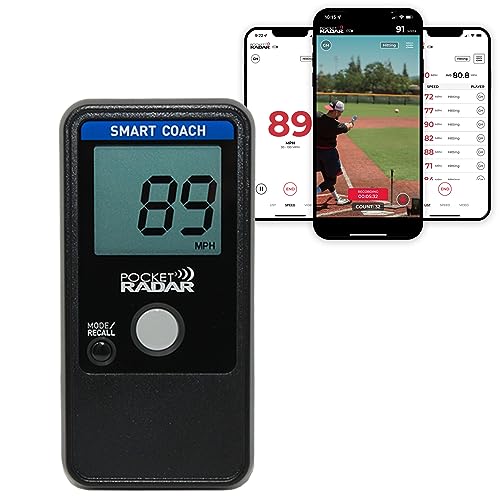 Pocket Radar (Ball Coach style)Pair velo readings with your film — the stream shows mechanics, the radar shows the number recruiters ask for.~$399 · View on Amazon →
 Low-Profile IPX7 Clip SpeakerThe $15 earpiece behind MAVTRAX audio pitch-calling — nothing on your stream for opponents to steal.~$15 · View on Amazon →
 SUPRANICE Wheeled Catcher's Gear BagThe streaming rig, power bank and tripod all ride in a wheeled gear bag's side pockets.~$60 · View on Amazon →
 Bearwill 9-Hole Pitching Net with Strike ZoneTurn what you saw on film into reps — the at-home target for command work.~$63 · View on Amazon →
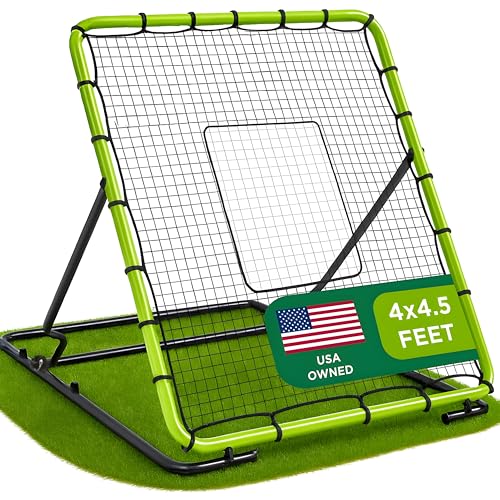 Pitchback Rebounder NetSame idea for fielding: film reveals the holes, the rebounder drills them between games.~$90 · View on Amazon →
 GoSports Weighted Training Baseballs (2.8")The velo-building staple for players grinding on what the film shows.~$20 · View on Amazon →
FAQ
Do I need permission to stream youth games?
League and tournament policies vary — many explicitly allow family streaming, some restrict it for minor-safety reasons, and some sell their own streaming rights. Check your organization's policy, keep streams unlisted/private-link when in doubt, and never include other families' kids' names in titles without asking.
How much data does streaming a game use?
Roughly 1.5–3GB per hour at 1080p over a hotspot, and about 1–1.5GB per hour at 720p. A doubleheader weekend can eat 15GB+ — check whether your plan throttles hotspot data specifically, or use venue Wi-Fi where it actually works.
Phone or GoPro on the fence mount?
Phone, usually: it streams natively, shows you the frame, and the family already owns it. GoPros shine for recording (wider angle, rugged) but need extra steps to livestream.
Can recruiters actually use livestream footage?
They use it as a first filter — clean behind-the-plate footage showing velocity, mechanics and at-bats absolutely gets watched. For formal recruiting reels, cut highlights from the recordings (another reason the Mevo's clean files matter at 15U+).
What resolution should I stream youth baseball at?
720p at 30 frames per second is the sweet spot for phone-and-hotspot rigs — it needs about half the upload bandwidth of 1080p and viewers can barely tell the difference on a phone screen. Go 1080p only when you've tested at least 5 Mbps of steady upload from the actual field. A stable 720p stream always beats a freezing 1080p one.
Should the stream be public or unlisted?
Unlisted (YouTube) or private-group (Facebook) is the right default for youth games: anyone with the link can watch, but the stream doesn't show up in search or recommendations. It's the easy middle ground — zero friction for grandparents, no audience of strangers, and most league media policies are satisfied by exactly this setup.
How do I stop my phone from overheating while streaming?
Shade is the whole answer: a phone streaming in direct summer sun will thermal-throttle and often shut the camera down by the middle innings. Mount it where the backstop's shade falls, clip a hat or cardboard visor above it, take the phone out of its case, and turn screen brightness down. If it's already hot, a few minutes in front of the car's AC between games resets it.
Can I stream and record at the same time?
Yes, and you should — the recording is what becomes recruiting clips and film-session material. YouTube saves every stream automatically, dedicated cameras like the Mevo record a clean local copy to an SD card while streaming, and on a phone the saved YouTube version is usually your recording. Just make sure storage isn't nearly full before first pitch.
We're the team behind MAVTRAX — pitch-calling software used by baseball and softball teams from 9U travel ball up. We spend our days around dugouts, gear bags and tournament weekends. Picks are chosen on specs, durability for youth-sports abuse, real-world price, and owner feedback — not on who pays the highest commission. Full criteria on how we pick.